What should your website do?
Identify the primary action: a service enquiry, a purchase or a better understanding of your offer. Use that purpose to decide which information deserves attention first.
Explore design considerations ↗Boca Raton, Florida / Website development
A practical starting pointConnect your business goals to the pages people need. Explore a 4-step approach to planning a useful website, with content and local marketing considered from the start.
Explore website servicesA website is a connected system.
Plan the journey before the details.
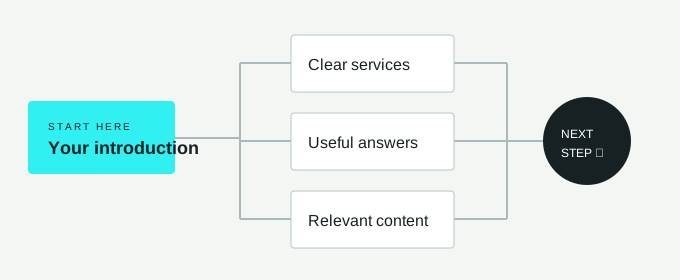
01 / DEFINE THE SCOPE
A helpful brief connects the business, the visitor and the work required. These questions transform a broad website idea into a clearer conversation.
Identify the primary action: a service enquiry, a purchase or a better understanding of your offer. Use that purpose to decide which information deserves attention first.
Explore design considerations ↗Separate essential pages from later additions. A simple service website and an online store have different needs, especially around product information, payments and ongoing updates.
Review planning topics ↗Address content ownership, maintenance, and access prior to launch. Identifying who updates a service description or checks a form makes the website easier to care for over time.
Read about website services ↗02 / CONNECT THE CONTENT
Build a content map around real customer questions. Let each page explain one subject well, then connect related information through clear navigation and descriptive links.
03 / BEFORE YOU BEGIN
Gather the basics before choosing a visual direction. Four simple notes can make the next discussion more productive and reveal what still needs a decision.
Your audience. Who needs the website, and what are they trying to understand?
Your message. What makes your offer clear, specific and relevant to that audience?
Your materials. Which text, photographs and brand files are ready to use?
Your responsibilities. Who approves the work and keeps information current?
04 / QUESTIONS, ANSWERED
Boca Raton Startups covers website development and related digital marketing topics for businesses exploring their online presence. Start with the services section to consider design, content management, responsive layouts and maintenance. The topic archives also help you explore search, paid advertising and local visibility before deciding which questions belong in your project brief.
Prepare a short description of your audience, your main offer and the action a visitor should take. Gather existing brand files, photographs you have permission to use and any current website details. A list of essential pages and the person responsible for approving content makes early discussions more focused and easier to follow.
Begin with the questions someone asks before choosing your business. Most plans need a clear explanation of the offer, useful supporting details and an obvious way to take the next step. Add separate pages when the audience or subject truly differs, rather than repeating the same message across several thin pages.
Yes, search planning is useful before a layout is final. It helps connect the words customers use with the pages and explanations they need. Give each page a distinct purpose, use descriptive headings and make navigation understandable. Search visibility also depends on many factors beyond design, so a new website cannot promise a particular ranking.
A phone-friendly website lets people read, navigate and act without unnecessary zooming or sideways scrolling. Prioritize clear text, comfortable controls, concise forms and appropriately sized images. Test real page content on smaller screens as well as larger ones; a good-looking desktop mockup alone does not establish how the finished experience will work.
Consider an online store when customers need to select products, see prices and complete purchases directly on the website. Before choosing a platform, outline payment, shipping, tax, returns and product-management requirements. A service business may instead need a straightforward enquiry path, so the appropriate structure depends on how the transaction actually happens.
Choose an owner before launch, whether that is someone inside the business or an agreed external contact. Decide who can edit pages, approve changes and respond when information becomes outdated. A content management system can make updates more accessible, but clear responsibilities and a practical review schedule are still important.
Separate essential launch requirements from improvements that can follow later. Describe the audience, page list, content ownership, integrations and approval process, then identify any missing information. Ask for assumptions and exclusions to be written down. This gives everyone a shared starting point without treating an early idea as a guaranteed cost, timeline or result.
MOVE FROM IDEA TO OUTLINE
Explore the service topics, then turn your priorities into a focused website brief.
Browse the services sectionРазработка охватывает создание веб-сайтов и связанные с ними темы цифрового маркетинга для бизнеса, изучающего свое онлайн-присутствие. Это включает дизайн, управление контентом, адаптивные макеты и техническую поддержку.
Подготовьте краткое описание вашей аудитории, основное предложение и целевое действие посетителя. Соберите файлы бренда, фотографии и текущие данные сайта, а также список необходимых страниц.
Начните с вопросов, которые задает клиент перед выбором вашего бизнеса. Большинство планов требуют четкого объяснения предложения, полезных деталей и очевидного способа перехода к следующему шагу.
Да, планирование поиска полезно до утверждения макета, так как оно помогает связать слова клиентов с необходимыми страницами. Каждая страница должна иметь четкую цель, а навигация должна быть понятной.
